
Network Routers
Certain network router operating systems can be configured to send regular HTTP(S) requests to Watchgoose directly from the router. This is a handy way to monitor them: when the router loses its WAN connection, it will not be able to ping Watchgoose, and Watchgoose will notify you about the outage.
DD-WRT
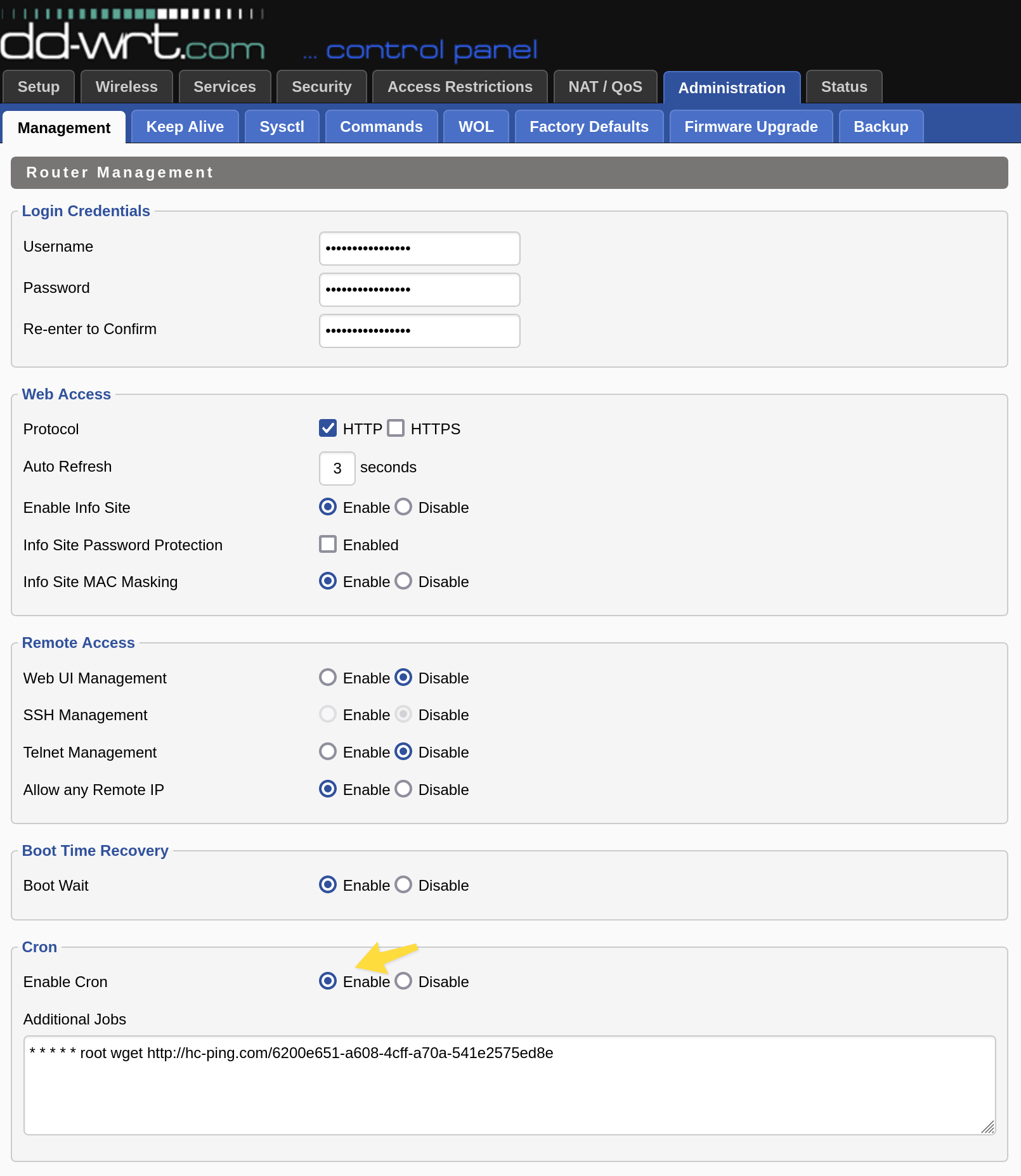
DD-WRT is a Linux-based firmware for routers that runs on wide variety of router models. DD-WRT ships with a cron daemon and wget utility. You can enable the cron daemon and edit crontab in DD-WRT control panel, Administration › Management › Cron.
The crontab syntax on DD-WRT is:
[cron expression] [username] [command]
Example for sending a ping every minute:
* * * * * root wget https://watchgoose.com/ping/your-uuid-here
Screenshot:
MikroTik RouterOS
MikroTik RouterOS is a router operating system used primarily on MikroTik network hardware. Among its many features is scripting support and a scheduler.
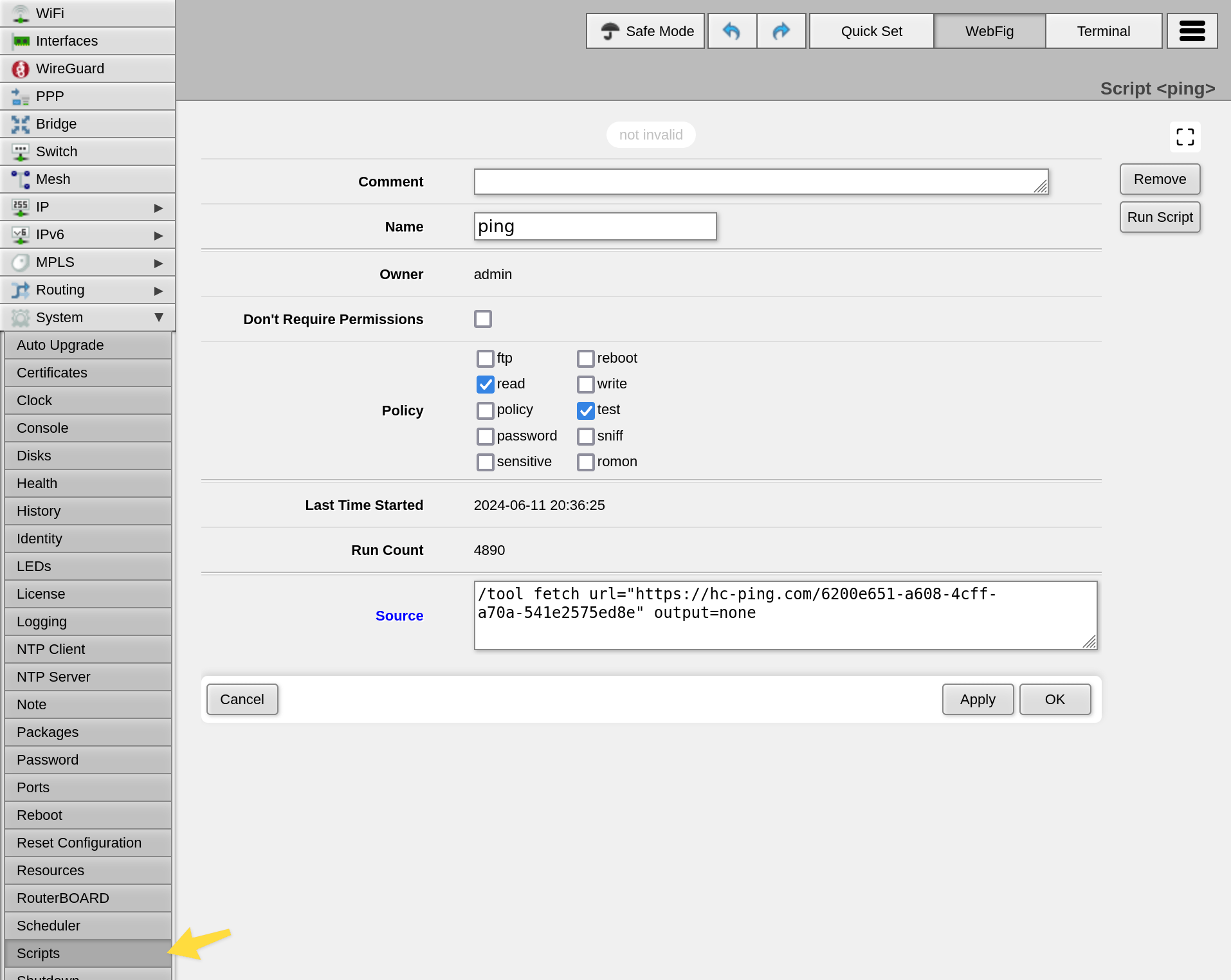
First, create a script in WebFig, System › Scripts › Add New. Use the following parameters:
- Name:
ping(example, you can use a different name) - Policy:
read,test - Source:
/tool fetch url="https://watchgoose.com/ping/your-uuid-here" output=none
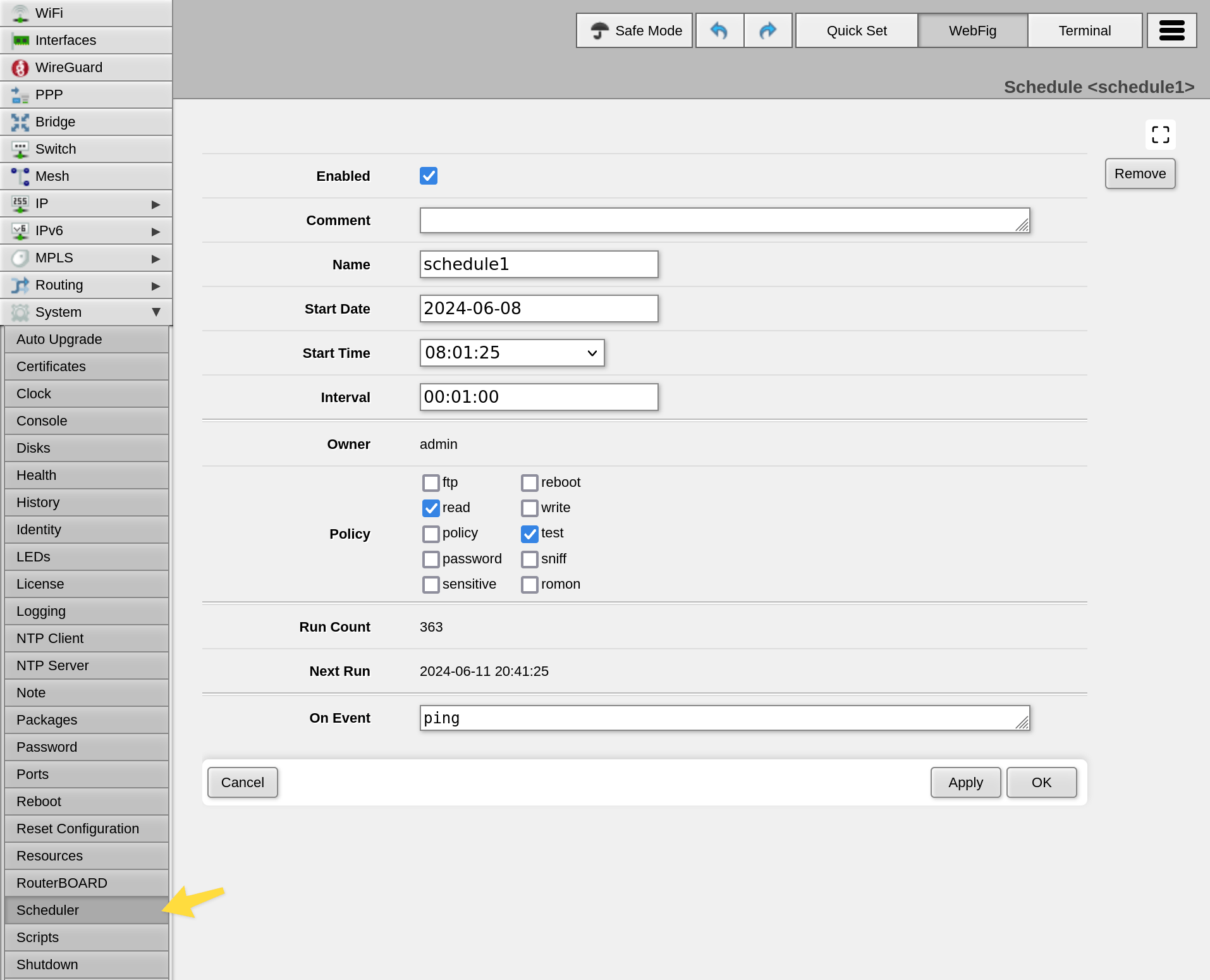
Then, create a schedule in WebFig, System › Scheduler › Add New. Use parameters:
- Interval:
00:01:00(one minute) - Policy:
read,test - On Event:
ping(the name of the script from the previous step)
Notes:
- The
output=noneparameter tells the system to discard response body. Without this parameter, the system will save response body to a file, which will additionally require thewritepolicy. - The "tool fetch" utility supports HTTPS URLs but does not verify TLS certificates
by default. You can add
check-certificate=yesparameter to require a valid TLS certificate. Note that RouterOS ships with no root CA certificates, so you will also need to load these. - Here's the full list of options supported by "tool fetch".