
Public Status Pages
Each Watchgoose project can publish one basic public status page. Status pages are available on all plans, disabled by default, and use an opaque public URL. A page can include from one to 100 checks from its project.
Published links use /public-dashboard/<opaque-key>/.
What the Page Shows
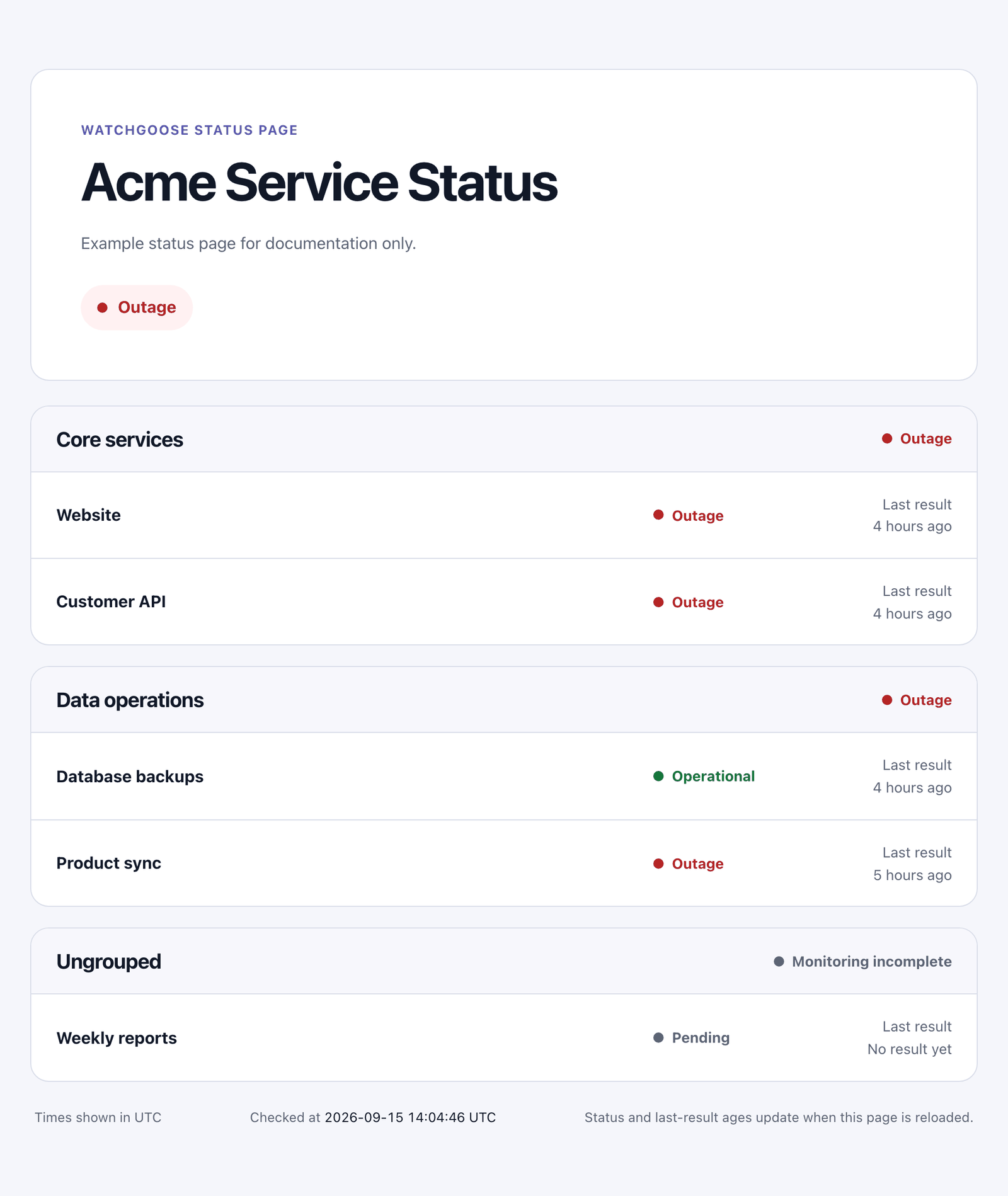
For each selected check, the public page shows only:
- a required client-safe public name you provide,
- an optional group name you provide,
- the current state, and
- the age of the last result.
You control component order. Components with the same group name appear together, and groups follow the position of their first component. Checks without a group appear in one Ungrouped section.
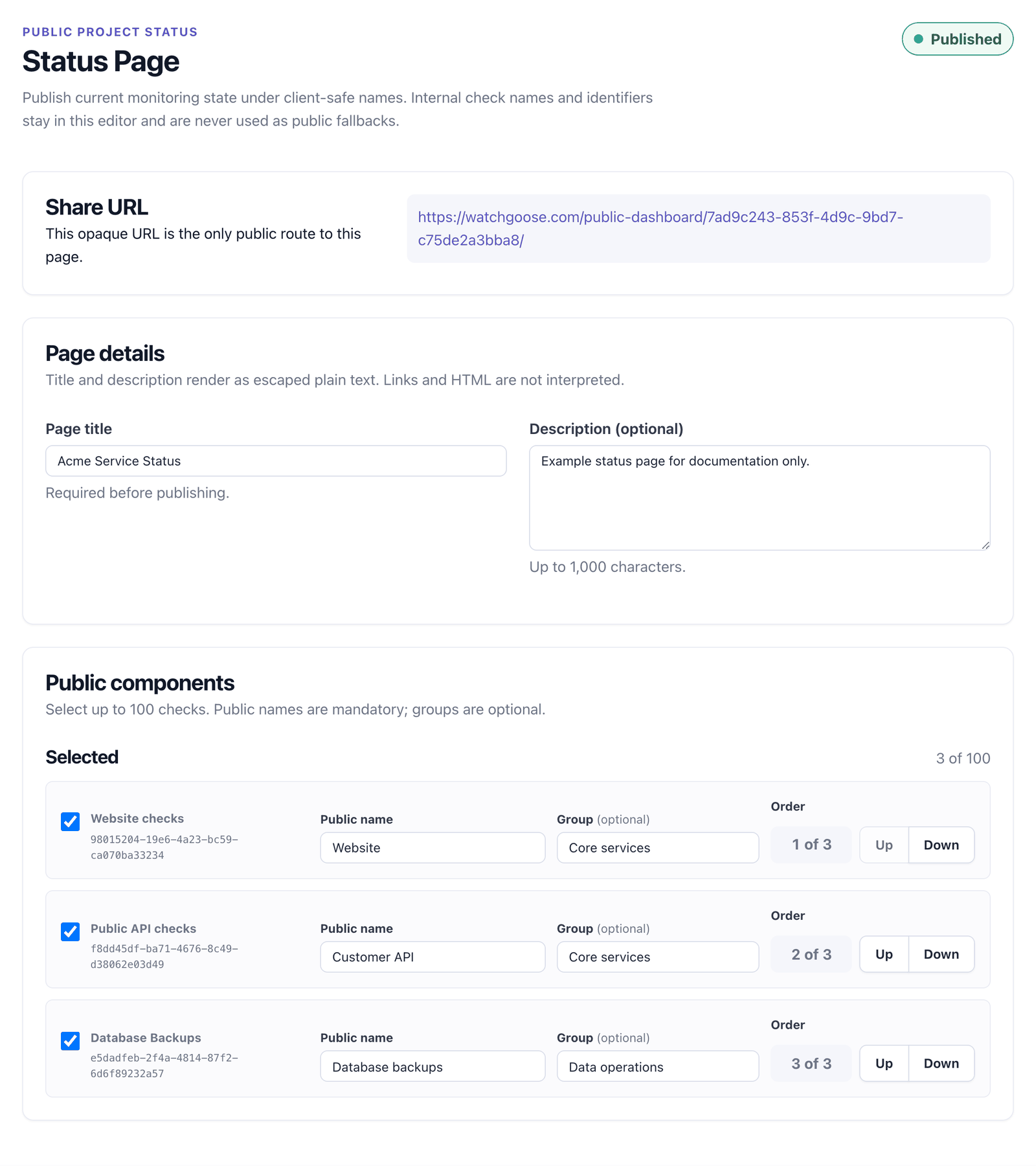
The public name is separate from the check's internal name. Internal check names and identifiers help project members configure the mapping, but Watchgoose never uses them as a fallback on the public page. Use aliases and group names that are safe for clients and other anonymous visitors.
The page title and optional description are escaped plain text. HTML, Markdown, links, and custom CSS are not interpreted.
Set Up and Publish
- Open a project and select Status Page.
- Add a page title and optional plain-text description.
- Select checks, give every selected check a public name, optionally group them, and set their order.
- Save the configuration and use Preview anonymous page to review the public field set without publishing.
- Confirm Publish page when the aliases and groups are safe to share.
Changing a published configuration disables the page and clears its prior publication consent. Review the anonymous preview and publish again before the new title, description, selection, aliases, groups, or order become public. Submitting an unchanged configuration does not disable the page.
Any project member can view the saved configuration. Only the project owner, a Manager, or a superuser can change it, publish it, disable it, or rotate its public URL. Publishing records the current project owner's consent. Transferring project ownership disables the page, rotates its URL, and clears its selected components; the new owner must configure and publish it again.
Disabling preserves the saved configuration and makes the public URL return a generic not-found response. Publishing it again reuses the same URL unless you explicitly rotate the URL. Rotation immediately invalidates the previous URL.
Transferring a selected check out of the project removes its public mapping. Moving the check back later does not restore the old alias, group, order, or selection.
State Labels
Components use these labels:
- Operational: the check is up.
- Running: the check has received a start signal and is still within grace.
- Late: the expected result is late but still within grace.
- Outage: the check is down.
- Pending: the check has not received its first result.
- Paused: monitoring for the check is paused.
Group and page state use this precedence:
- Outage when any visible child is down.
- Delayed when none is down and at least one is late.
- Operational only when every visible child is Operational or Running.
- Monitoring incomplete when a Pending or Paused child remains and no higher state applies.
Every selected component stays visible, so a group cannot conceal a failing check.
Last Result and Refreshing
Last result is the last success or explicit failure received for the check. It does not include start, log, or ignored events. Dates use the project owner's selected account timezone, and the public page names that timezone.
The page is rendered on request. Status and relative last-result ages update when the visitor reloads it; V1 has no polling or public JSON endpoint. Checked at is one request timestamp used for displayed ages. Check state is evaluated by the normal monitoring model for each component, so the page does not claim an atomic status snapshot.
V1 Boundaries
Public status pages do not provide custom slugs or domains, passwords or private pages, subscribers, incident posts, maintenance notices, manually controlled components, custom themes, an API or Terraform resource, uptime charts, history, or analytics. They do not publish ping URLs, project or check identifiers, keys, tags, check descriptions, schedules, grace settings, check timezones, ping bodies or metadata, integrations, notifications, or account and team identity.
For small externally embedded summaries instead, see Status Badges.